by Gavin Hoover
2026-03-22T11:00:00-0500
Topics: For Schools, Bike Protection, Bike Recovery
Topics: For Schools, Bike Protection, Bike Recovery
We've added a Registration Notes feature to the Bike Index admin backend for partner organizations. It does what it sounds like: you can write a private note on any individual bike or e-vehicle registration, save it, and come back to it later. Notes are only visible to your organization's administrators.
The registration record itself captures the standard stuff — owner, bike details, sticker, status. But there's often additional context that your team needs to track that doesn't belong in any of those fields. A note from a conversation with a student. A flag for a follow-up audit. A reminder that a registration looked suspicious. Notes gives you a place to put that without cluttering the registration or exposing it to anyone outside your admin team.
Open any registration from your admin dashboard and you'll see a Notes panel on the right side of the record. Type your note and save it. That's the whole workflow.
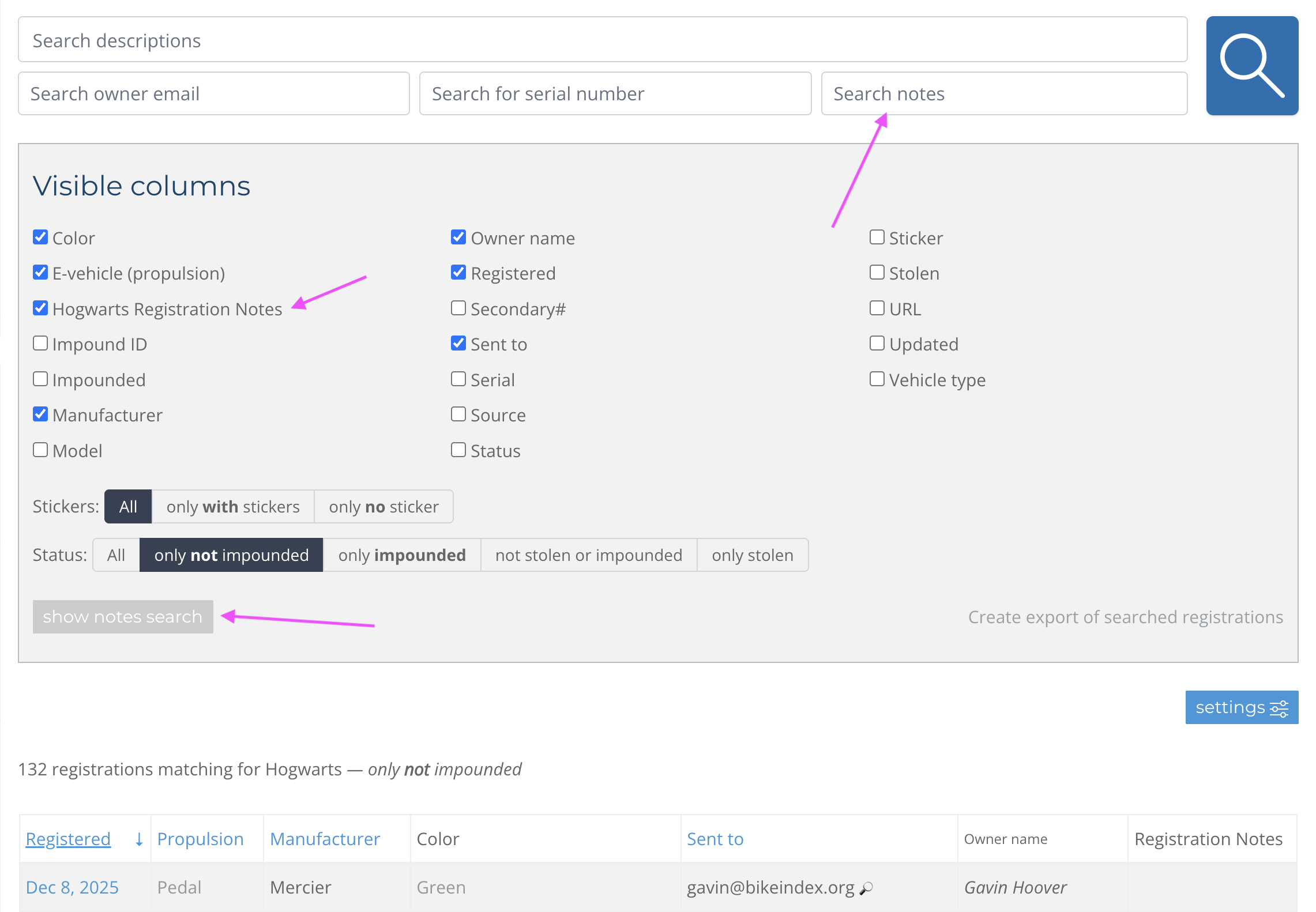
Once a note exists on a registration, it shows up in the Notes column on your main dashboard view, so you don't have to open individual records to know which ones have notes attached.
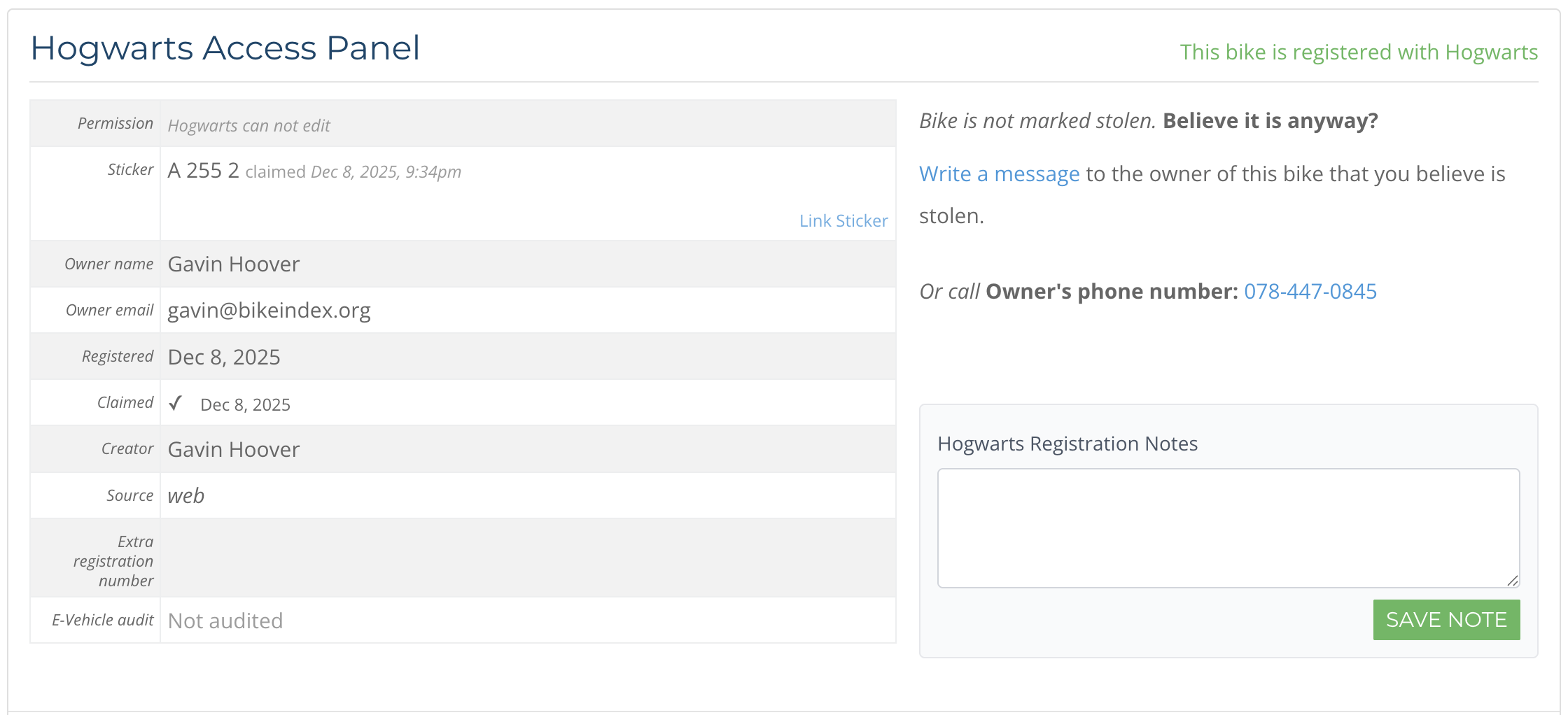
Registration Notes are searchable through the same dashboard search you already use. You can search by keyword, date, bike details, or student name and results will include registrations with matching notes. There's also a show notes search button on the dashboard that expands a dedicated notes search field if you want to search specifically within notes.
Registration Notes are only visible to administrators in your organization's admin panel. They don't appear on the public registration page, in any emails to the owner, or anywhere else outside the backend.
Registration Notes are available to Bike Index partner organizations on our Silver and Gold tiers. If your organization is on one of those plans and already has an admin panel set up, notes are available now with no additional setup — open any registration and the notes field will be there.
If your organization is on a lower tier and would like access to notes, get in touch and we can talk through your options.